Introduction
Plenty of folks using iPhones deal with power fading quick, random turn-offs, or getting hot – still, hardly anyone knows how to tell if it’s time for a iPhone battery. Because so many depend on these devices every day just to get around, stay in touch, or handle tasks, bad cells might mess up speed plus wear down the phone over months.
In Riyadh or Jeddah, Fix My Phone KSA swaps out iPhone battery with care – each fix uses high-grade parts that match OEM specs. Diagnostics are handled by skilled techs who know exactly where issues hide. No guesswork, just working solutions tested on the spot.
This guide shows warning hints, ways to test things, then helps pick smart steps if your iPhone’s power runs low – giving a chance to act fast while cutting costs.
Key Signs Your Battery Is Getting Weak
Before learning How to check if your iPhone battery needs replacement, observe basic warning signs:
. Your battery drains fast because it’s working harder than usual
. It gets hot pretty fast, even when you’re just using it normally
. Phone turns off when battery shows 10 to 30 percent left
. Plugging in feels slower these days
. Your iPhone battery loses quickly – even when you’re not using it
These problems suggest the battery isn’t holding charge like it should.
Check Battery Health in Settings
This’s the easiest way to find out if your iPhone battery should be swapped – no gadgets needed.
Steps:
- Go to Settings
- Tap Battery
- Select Battery Health & Charging
- Check Maximum Capacity %
What numbers mean:
iPhone Battery Capacity Condition Action
100–90% Healthy No issue
89–80% Slight wear Monitor usage
Below 79% → battery’s weak. Time to swap it out
“Service” message Battery damaged Replace urgently
If you spot Service Recommended, that’s proof right there – your iPhone wants a fresh battery now – or else.
Hidden Signs Beyond Battery Percentage
Now and then, your iPhone might look just fine but actually require swapping out. That’s usually because the inner charge cycles ran their course or there’s harm inside the battery cells.
Hidden signs include:
. Device slows down when doing basic stuff
. Screen fades down by itself when it gets too warm
. Touch reaction gets sluggish
. Sudden slowdowns with no heads-up
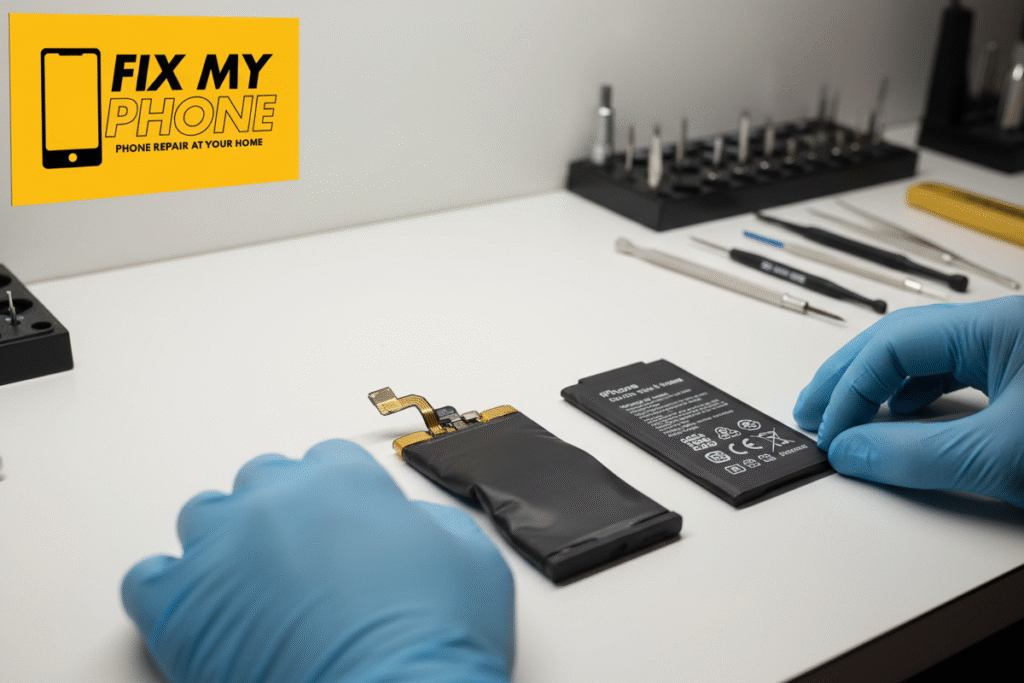
. Battery puffs up, so the display lifts away from the frame
Issues might not appear in system menus – yet they point to a weak cell.
Why Battery Cycles Matter
Apple batteries can only handle so many charges. A single charge cycle means going from empty to full one time.
How to see how many times it’s been charged:
Connect phone to Mac → Open System Report → Power → Cycle Count (Or ask Fix My Phone KSA for free diagnostic)
Apple Standard Battery Life: Around 500 cycles
If you go past these cycles, your battery won’t last nearly as long.
Performance Impact of a Weak Battery
Figuring out when your iPhone battery should be swapped keeps it running smoothly – so you avoid shutdowns, slow performance, or sudden crashes down the line
. Damaged power IC
. Overheating motherboard
. Reduced processor speed
. Software crashes
A shaky power supply delivers uneven juice, which can mess up your device over time – fixing it later costs way more than swapping the cell now.
Overheating & Swelling Risks
See again how to tell when your iPhone’s battery should be swapped – look out for signs like:
Swelling symptoms:
. Screen popping out
. Frame bending
. Spaces by the screen’s borders
. Warmth while powering up, especially when not in use
Bulging cells pose risks; they might explode or mess up inner parts.
How Replacing Battery Saves Money (KSA Users)
Swapping out a battery costs less than:
. Buying a new iPhone
. Repairing a broken mainboard
. Repairing burnt charging IC
Example:
Issue Cost Range Cause
. Battery Replacement Low cost Wear & tear
. Motherboard Repair High cost Heat & voltage damage
. Buying New iPhone Very high Dead battery ignored
Sharp folks swap things out sooner – so they dodge these issues.
Where to Replace Battery in KSA (Trusted Choice)
Once you’ve figured out whether your iPhone battery should be swapped, it’s time to pick a reliable technician.
Fix My Phone KSA offers:
. Original-quality Apple batteries
. Quick swap in about half an hour
. Guarantee covers components – also includes setup work
. Skilled Apple technicians
. Safe diagnostics
Found in big towns all over Saudi Arabia – also reachable in key urban spots.
When Should You Visit Fix My Phone KSA?
Stop by when you spot:
“Service Recommended” alert
. Battery power under 80%
. Sudden shutdowns
. Overheating during charging
. Fluid buildup or the display coming loose
Final Thoughts
Knowing how to tell if your iPhone battery should be replaced keeps it running well, makes it last longer, avoids breaking parts inside, also cuts costs. Checking the battery ought to happen regularly – don’t wait till something goes wrong. When your device acts up, step in fast.
Fix My Phone KSA can swap your battery fast – safe, cheap, done today.